What is DKIM in Email? (DNS Record, Example & How It Works)
DKIM (DomainKeys Identified Mail) is an email authentication method that adds a cryptographic digital signature to every email you send. This signature proves to the recipient server that the email was actually sent by you and—more importantly—that the content wasn't tampered with during transit.
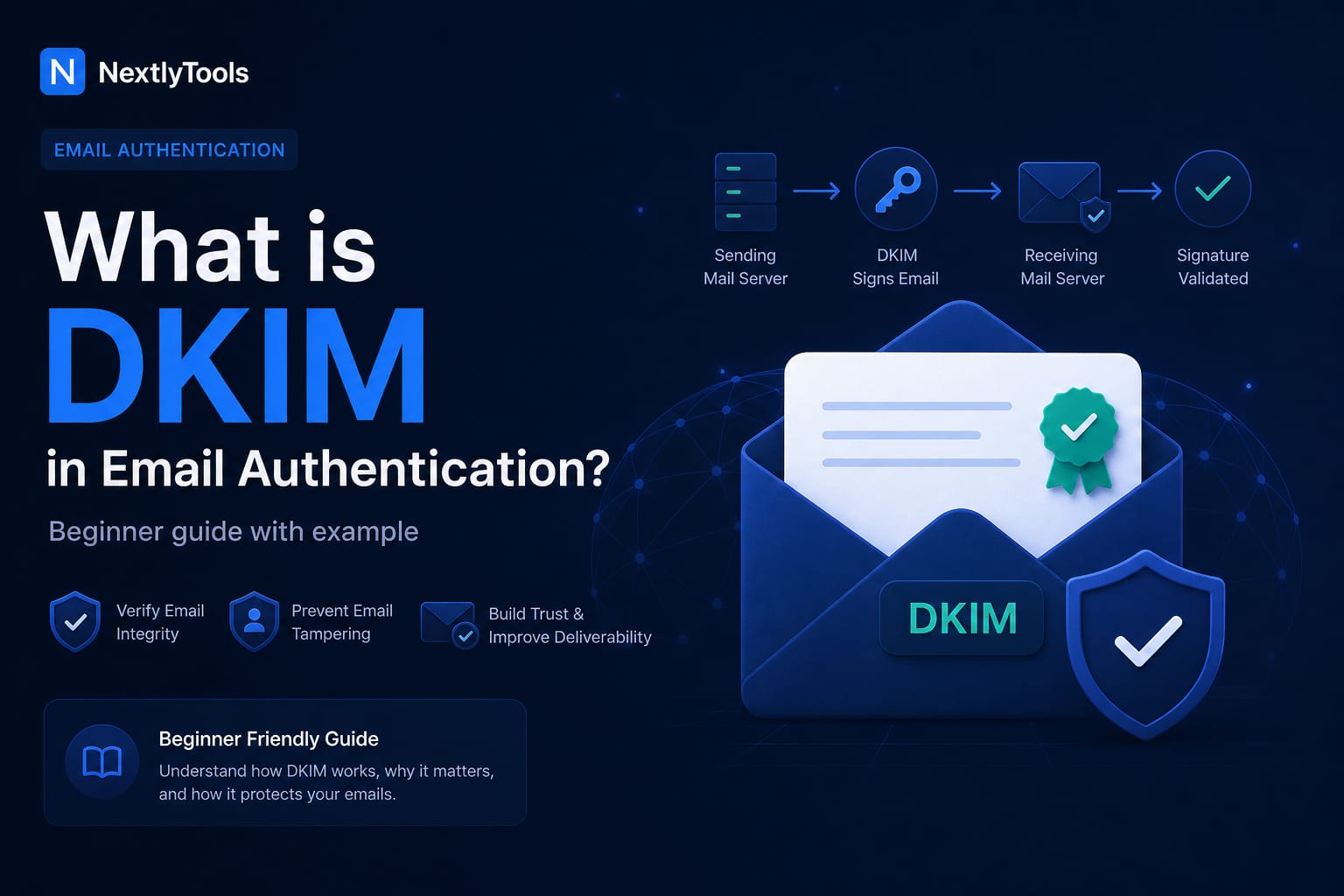
DKIM (DomainKeys Identified Mail) is an email authentication method that adds a hidden digital signature to every message you send. Think of it like sealing a letter with a unique stamp linked to your domain. When your email arrives, the receiving server checks that stamp to confirm two things:
- The sender is legitimate: It verifies the email was sent by an authorized source for your domain, not a spoofed sender.
- The message is unchanged: It ensures the content wasn’t modified while traveling across the internet. Without this signature, your emails are more likely to be flagged as suspicious or sent to the spam folder.
Why DKIM is Important
Without DKIM:
- Emails can be easily spoofed
- Messages may go to spam
- Your domain reputation can be damaged
With DKIM:
- Email deliverability improves
- Spam filters trust your messages more
- Your domain is protected from impersonation
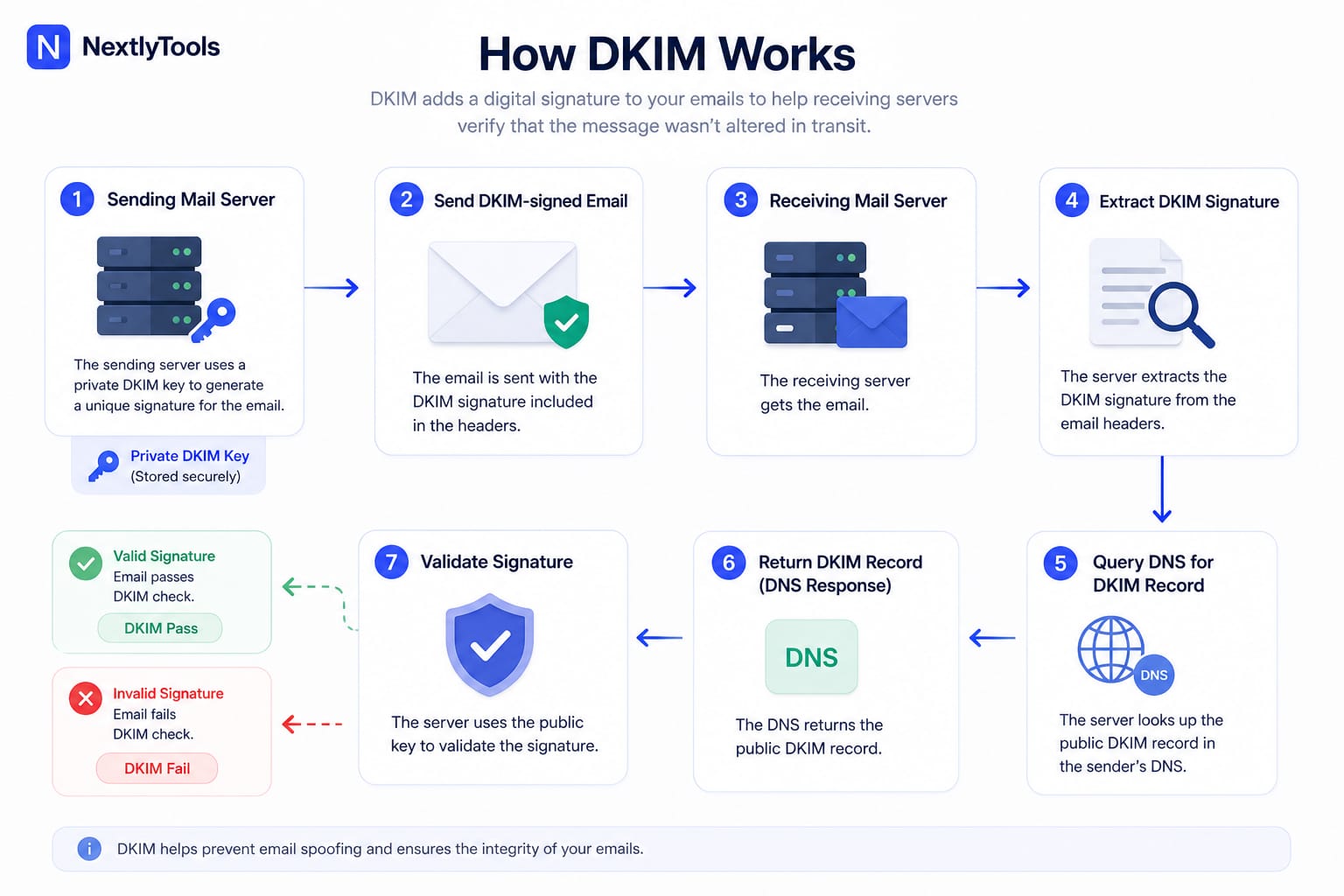
How Does DKIM Work? (Step-by-Step)
1. The sending server signs the email
When you send an email, your mail server creates a digital signature using a private key.
2. The email is sent
The message travels across the internet with the DKIM signature attached. This signature is added to the email headers.
3. The receiving server gets the email
The recipient’s mail server receives the email and prepares to verify it.
4. The server extracts the DKIM signature
It reads the hidden DKIM signature inside the email headers.
5. The server checks the sender’s DNS
The receiving server queries the sender’s domain DNS to find the public DKIM key.
6. DNS returns the public key
The domain’s DNS responds with the public key stored in a DKIM record.
7. The signature is verified
The receiving server uses the public key to check the signature:
- If it matches → the email is authentic
- If it doesn’t → the email may be altered or fake
This image explains the DKIM authentication process.
DKIM Record Structure Explained
To the untrained eye, a DKIM record looks like a wall of random text. However, it follows a very strict structure. Understanding this format is essential for troubleshooting "DKIM Fail" errors.
A Standard DKIM Record Example
When you look up a DKIM record in a DNS tool , it typically looks like this:
v=DKIM1; k=rsa; p=MIIBIjANBgkqhkiG9w0BAQEFAAOCAQ8AMIIBCgKCAQEA75...Breaking Down the Components (Tags)
DKIM records use "tags" to communicate with the receiving server. Here are the most important ones you need to know:
- v=DKIM1 (Version): This is the mandatory starting tag. It tells the server, "This is a DKIM record."
- k=rsa (Key Type): This specifies the encryption algorithm. While RSA is the most common, some modern setups use Ed25519.
- p= (Public Key): This is the "Public" half of your security key. It is a long string of Base64 encoded data that the receiving server uses to verify your email signature.
Understanding the "Selector" and "Host" Format
This is where most beginners get stuck. A DKIM record isn't just added to your root domain (like example.com). It uses a Selector.
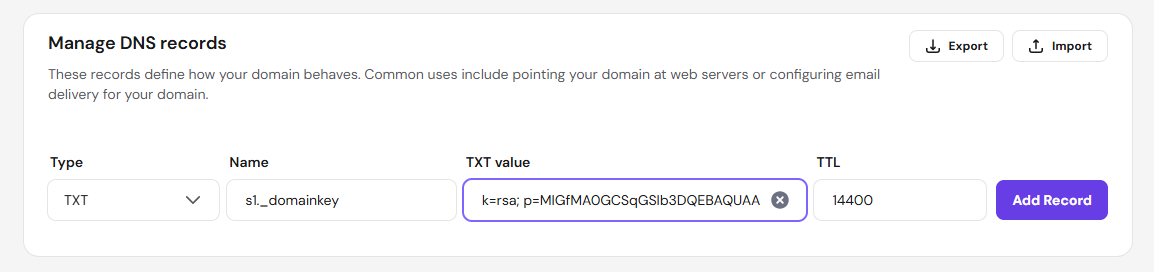
- The Selector: A unique name (e.g., google, default, or mandrill) that allows you to have multiple DKIM records for different email services.
- ._domainkey: This is a required, unchanging part of the DKIM record that acts like a folder name so email servers know exactly where to look for the public key.
DNS Entry Table (Example)
If you were setting up DKIM for a service using the selector "s1", your DNS entry would look like this:
How to Verify Your DKIM Record
Once you have added the record to your DNS, you should verify it to ensure there are no typos. Since your blog is new, ensuring your own email deliverability is perfect will help your authority.
- Use a DNS lookup tool by entering your domain and selector into a service like NextlyTools to check your DKIM record.
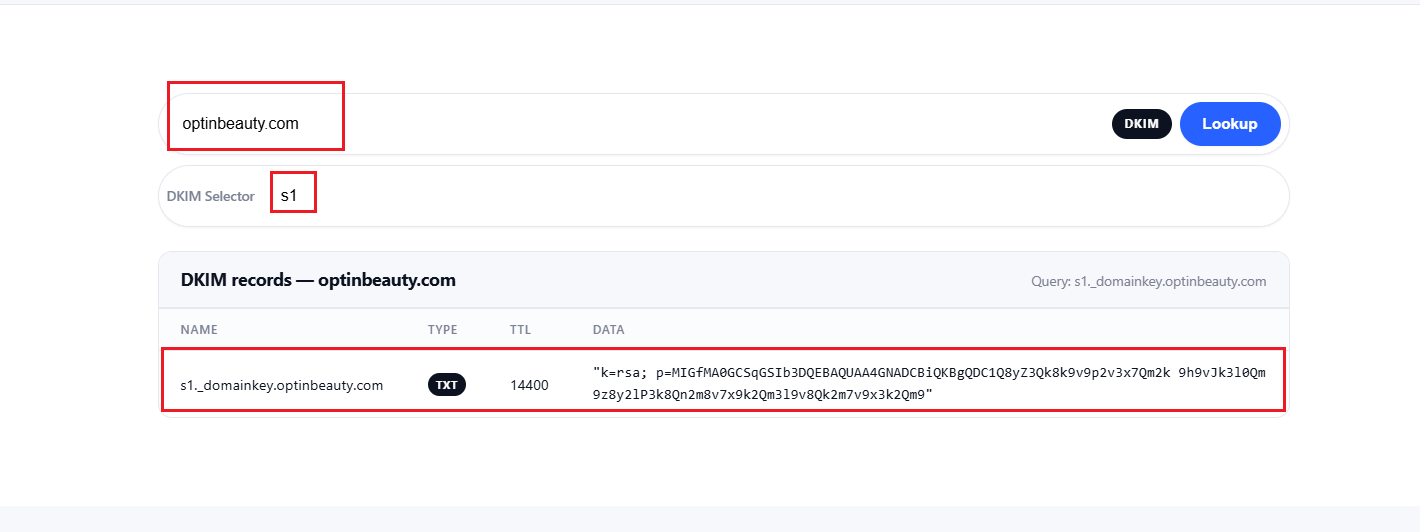
- Check for "v=DKIM1": Ensure the record starts exactly with this tag.
- No Extra Spaces: Ensure there are no accidental spaces in the middle of your public key string.
Troubleshooting Common Issues
- Record Not Found: It can take up to 24 hours for DNS to update (propagation). Wait a few hours before panicking.
- Key Too Long: Some DNS providers have a 255-character limit for TXT records. If your key is 2048-bit, you may need to "split" the string into two parts within the same record.
- Multiple DKIMs: You can have as many DKIM records as you want, provided they each have a different selector.
Conclusion
DKIM (DomainKeys Identified Mail) is a fundamental part of modern email security. By adding a digital signature to your messages, it helps verify that your emails are authentic and have not been altered during delivery.
Understanding how DKIM works—from the DNS record structure to the selector and public key—allows you to troubleshoot issues more effectively and improve your email deliverability. Even though the record may look complex at first, it follows a clear and consistent format.
If you run a website or send emails from your domain, setting up DKIM correctly is not optional—it is essential. A properly configured DKIM record helps protect your domain from spoofing, builds trust with email providers, and ensures your messages reach the inbox instead of the spam folder.